Settings
Settings has four tabs: agent keys, accounts, retention, and the rules your code reports. Anyone who signs in can manage settings. On a new install the tables are empty, and creating the first key sets up the project.
Agent keys
The SDK sends events to Quard with an agent key. It is the only Quard secret an agent needs.
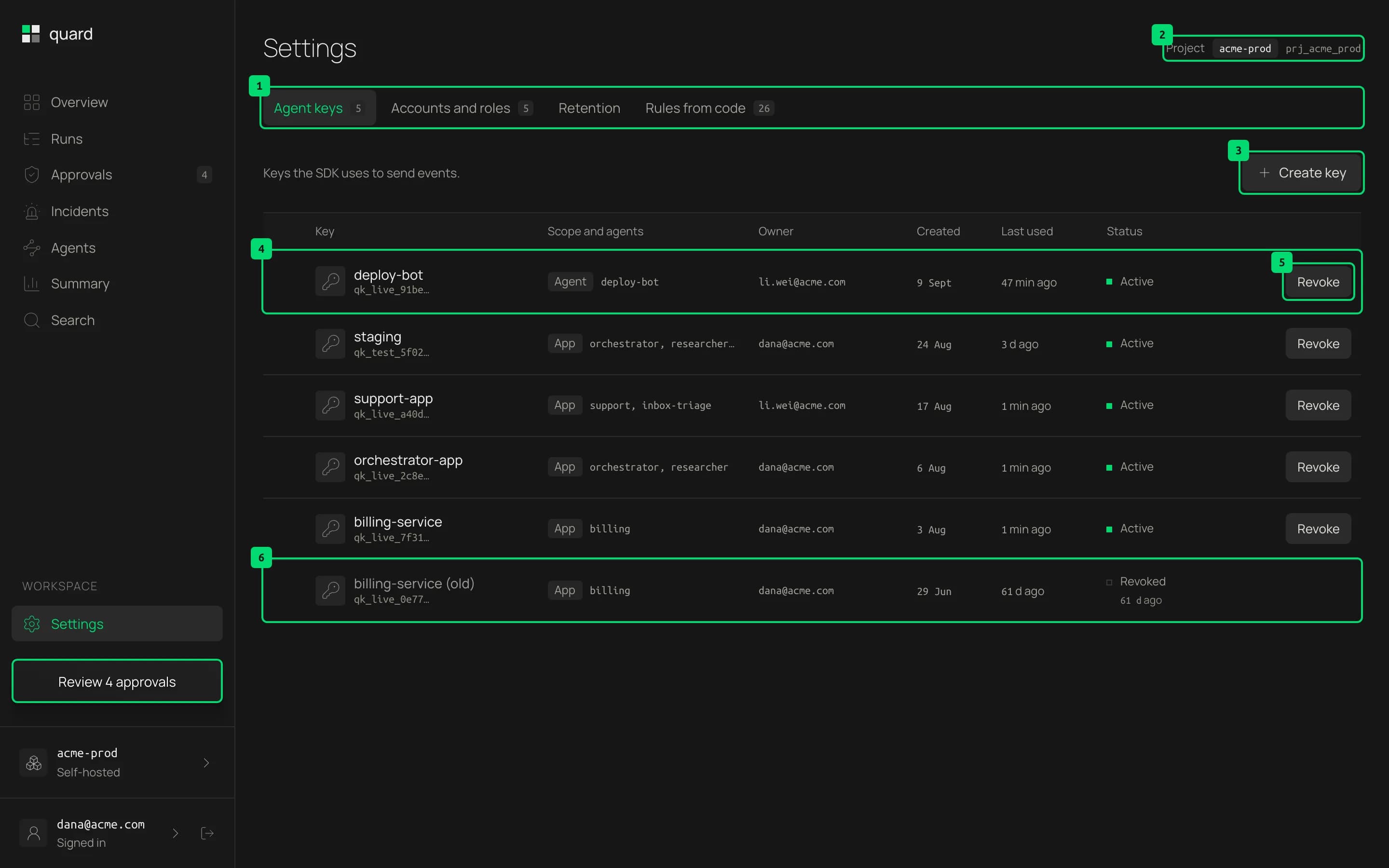
- Tabs. Switch between the four parts of settings. Agent keys counts the active keys, and Rules from code counts the rules.
- Create key. Opens the form for a new key.
- A key. Its name and prefix, when it was created, when it was last used and its status.
- Revoke. Asks you to confirm in place, then turns the key off. Agents using it are refused from then on.
- A revoked key. Revoked keys stay in the list, dimmed, with how long ago they were revoked. Hover to see the exact time.
Create a key
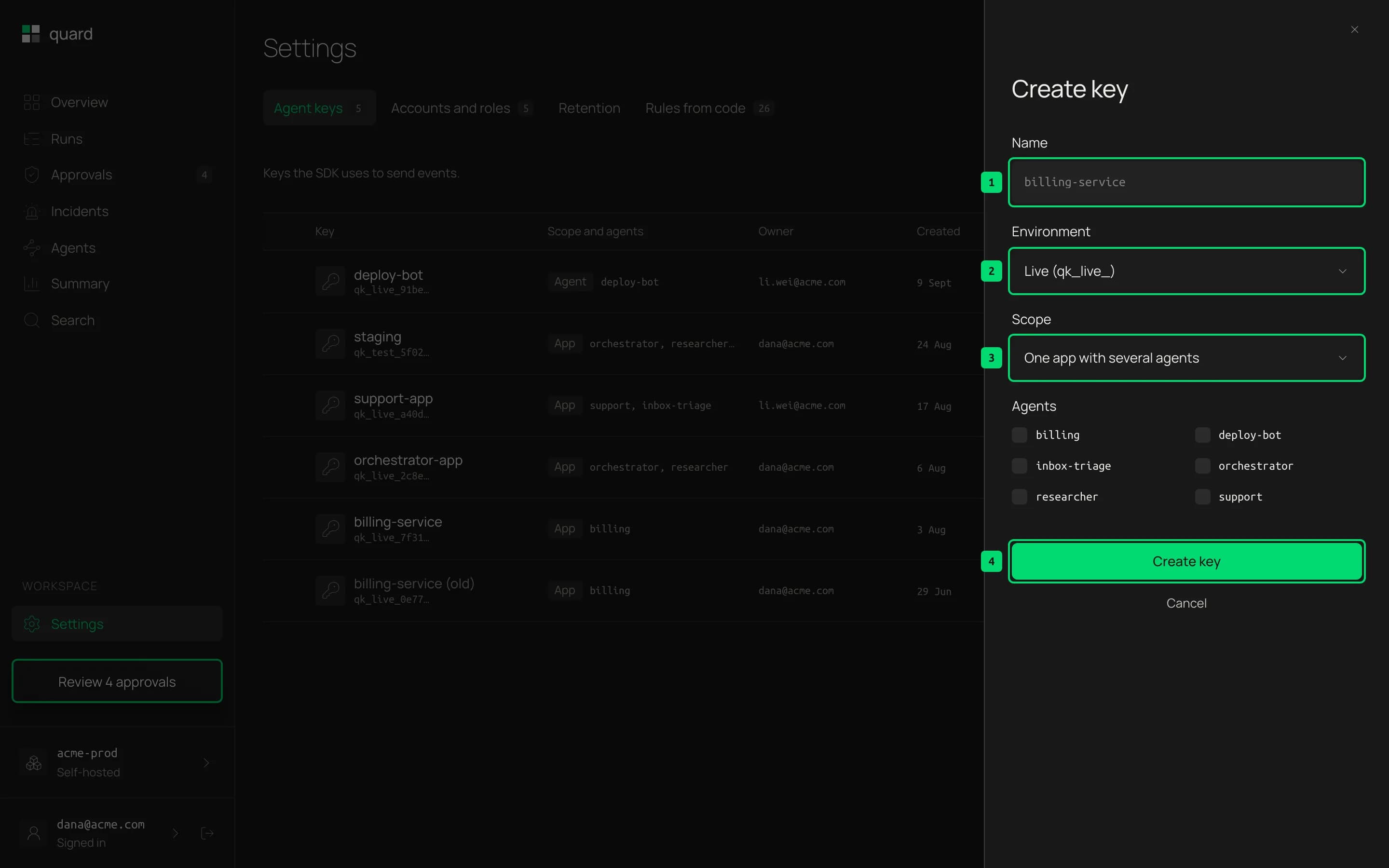
- Name. A name you will recognize, such as the app that uses it. Two active keys cannot share a name.
- Create key. Creates the key.
The full key is shown once, right after you create it. Copy it then and store it as a secret. The form also shows how to pass the key to the SDK. Keys start with qk_live_. After you click I saved the key, only its prefix is shown.
Accounts
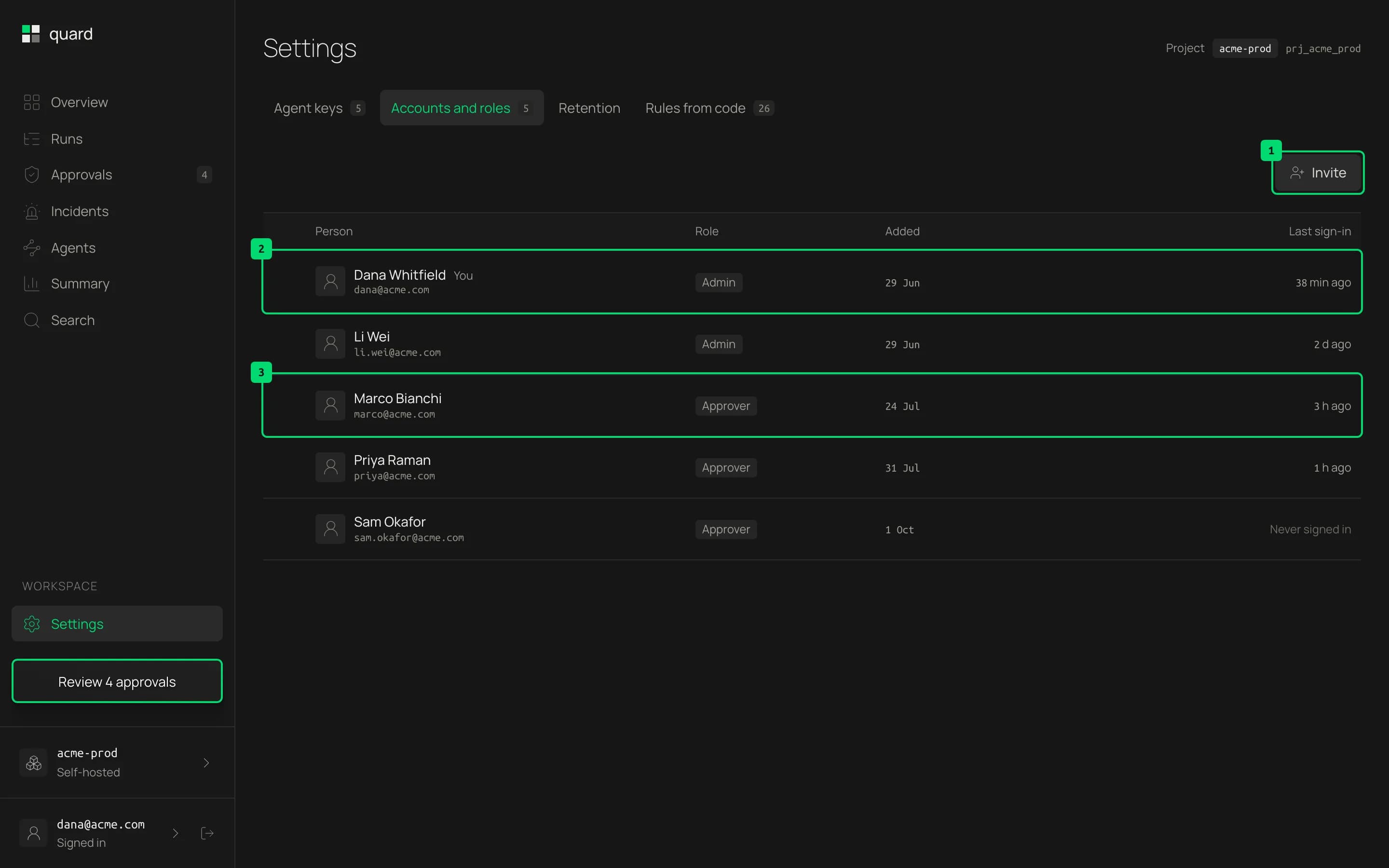
- No accounts to manage. Anyone who signs in can use Quard. There are no invites or roles.
Retention
What Quard keeps, and for how long.
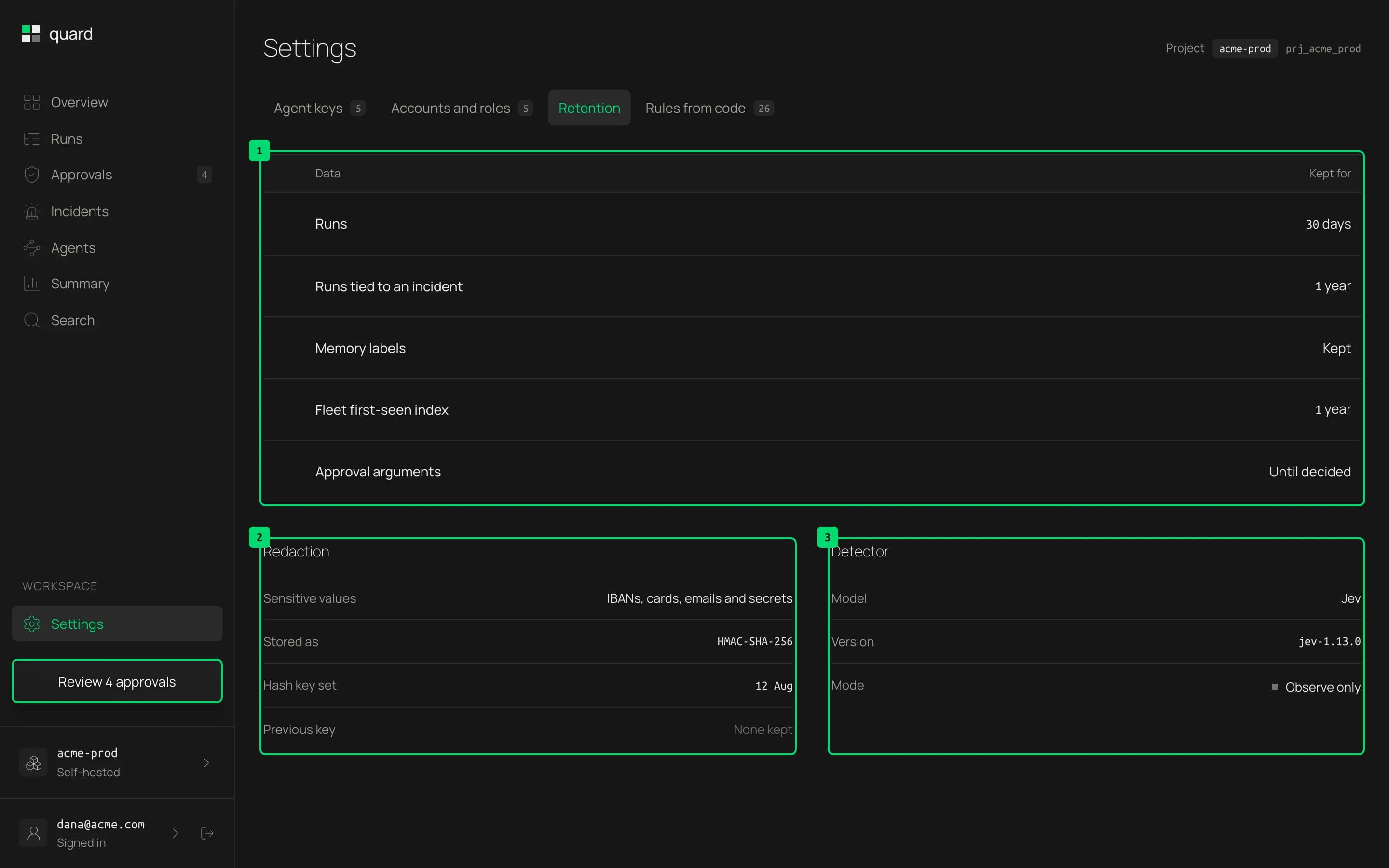
- Retention. Runs are kept for 30 days by default. Runs tied to an incident are kept for 1 year, so their verdict and replay keep working. Memory labels are kept, so shared memory keeps its labels in later runs. The fleet’s first-seen index is kept for 1 year, so old values don’t look new again. Approval arguments are kept only until the request is answered.
- Redaction. IBANs, card numbers, emails and secrets are never stored in clear. Secrets are removed before anything leaves your app. IBANs, cards and emails become keyed hashes plus a mask, such as
DE89…3000, so search and value tracing still work. Each project hashes with its own key, made from the server’sQUARD_HASH_KEY. Agents get their project’s key with their agent key, andQUARD_HASH_KEYnever leaves the server.
Rules from code
Rules live in your code, not in the dashboard. This tab shows what your apps report, and you cannot edit it here. To change a rule, edit the code and redeploy. Show example at the bottom of the tab shows a short rule in code.
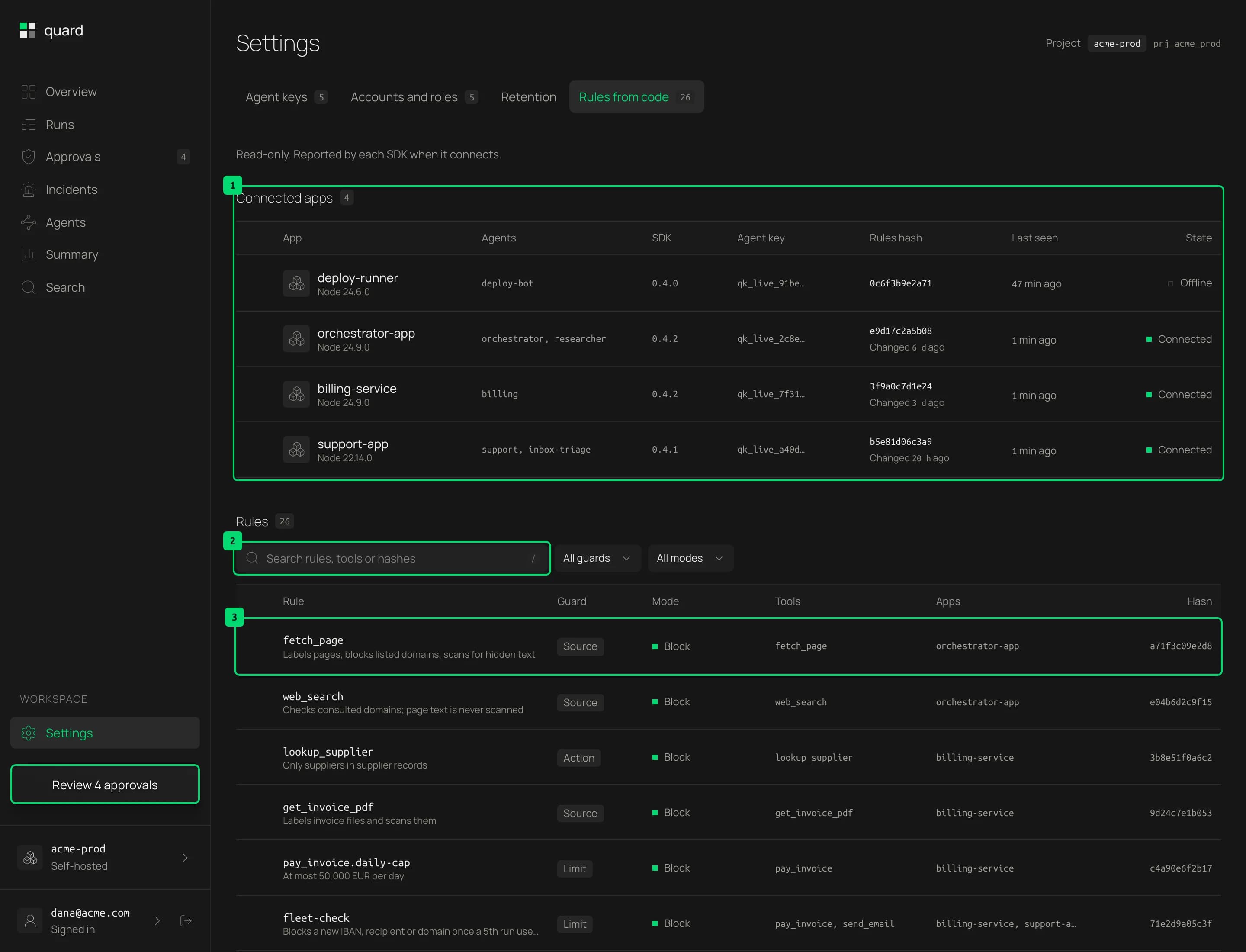
- Connected apps. Each app that runs the SDK: its agents, SDK version and agent key, the hash of its rules and when it changed, when the app was last seen and whether it is connected.
- Rules. Each rule: its name and what it does, its guard type, its mode, the tools it guards, the apps that run it and its hash. Block rules stop calls, Observe rules only record, and approval rules always ask. Once rules are listed, you can search them and filter by guard type or mode.
Origin overrides
Teams can change the trust or sensitivity of one origin in code, for example to trust their own MCP server. Quard lists the overrides your recent runs report.
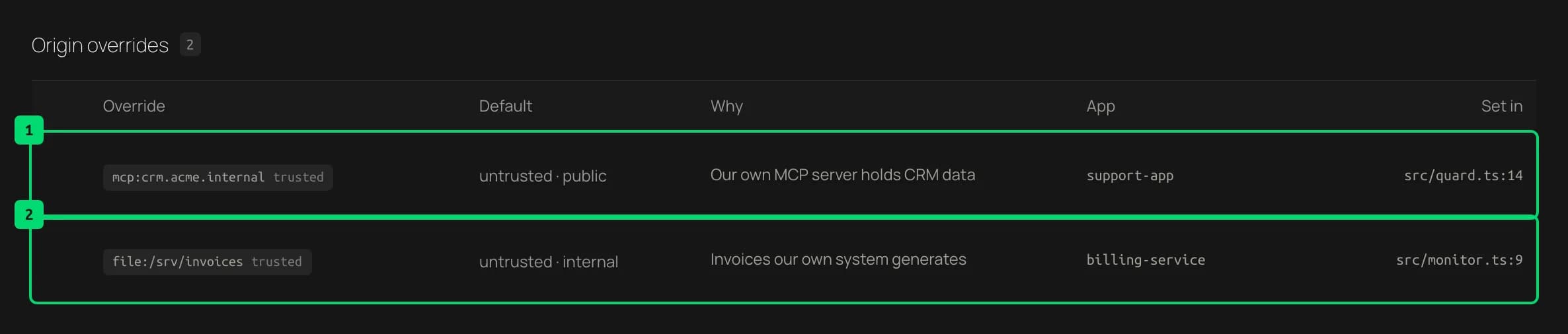
- An override. The origin and its new label, the default it replaces, the agents whose runs reported it, and when it was last seen.
- Another override. Every override is listed, so nothing changes trust without a trace.