Approvals
Some tool calls wait for a person before they run. A guard asks when a tool is high-stakes, or when something about a call needs a second look, such as a recipient that first appeared in an outside email. The call waits until someone answers, with no time limit.
Answer a request
Open Approvals in the sidebar. Requests whose process is still running come first, with the longest wait on top.
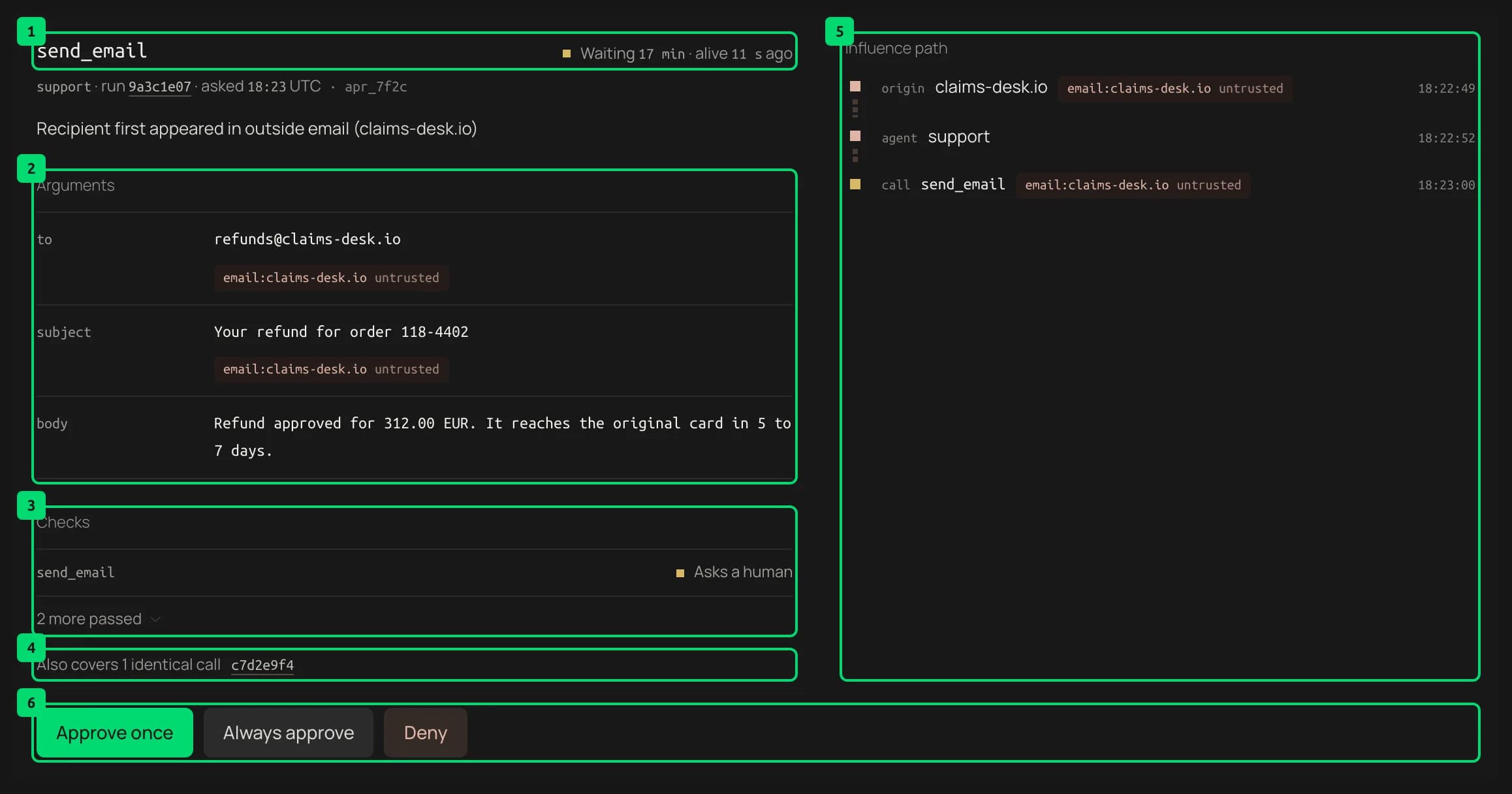
- Call and status. The tool that wants to run and how long it has waited. alive 11 s ago means the waiting process is still running. Under it are the agent, the run, when it asked and the request id, then the reason the guard asked.
- Arguments. The exact values the tool will run with. These are the real values, not masked, so you can check them. Under a value, an untrusted origin chip shows where it came from, and model-generated warns that it appeared nowhere earlier in the run.
- Checks. The guard decisions on this call, with the ones that asked first. 2 more passed opens the checks that passed.
- Identical calls. Other waiting calls with the same agent, tool and arguments. Your answer covers them too.
- Influence path. How the content reached this call, from the entry point to the call itself. Each step shows its kind and time, and where untrusted content came in, its origin.
- Answers.
- Approve once runs this call one time, with exactly these arguments.
- Always approve lets later calls run without asking when they come from the same agent, use the same tool and have exactly the same arguments. It holds in any run until someone revokes it.
- Deny returns a refusal to the agent. The tool does not run.
Good to know:
- An approval is tied to the exact arguments. If any argument changes, Quard asks again.
- After you answer, only a hash of the arguments is kept, not the values.
- Quard runs its block checks again right after an approval. An approval never overrides a block that came up while the call waited, such as a daily cap.
- If the waiting process stops, for example after a crash, the request shows Stopped and stays open. An Approve once given then is used by the next identical call.
Deny a call

- Warning. A denial cannot be undone. The agent gets a refusal, which it reads as the tool’s result.
- Deny call. Confirms the denial.
- Cancel. Goes back without answering.
Standing grants
Below the requests, Always approve lists every standing grant.
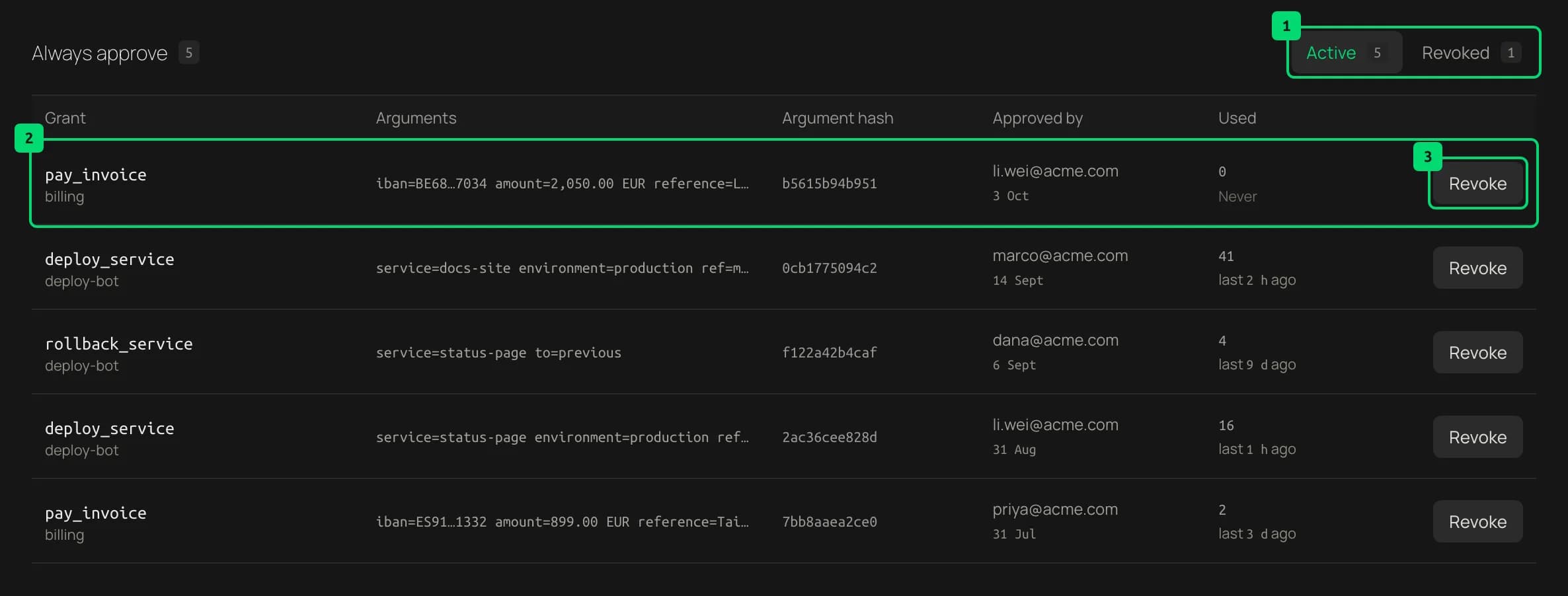
- Active and revoked. Switch between grants in force and grants that were revoked.
- A grant. The tool and agent, the approved arguments and their hash, who approved it and when, and how often it has been used.
- Revoke. Ends the grant after you confirm. The next identical call asks again.
Decided, at the bottom of the page, lists past answers. Filter it to see only approved or only denied requests.
Last updated on