Agents
The Agents page shows how your agents delegate work to each other. Each agent has its own page with its recent calls, versions, incidents and permissions.
Before your agents report any runs, the graph and lists stay in place with a short message, such as No agents yet.
Agent graph
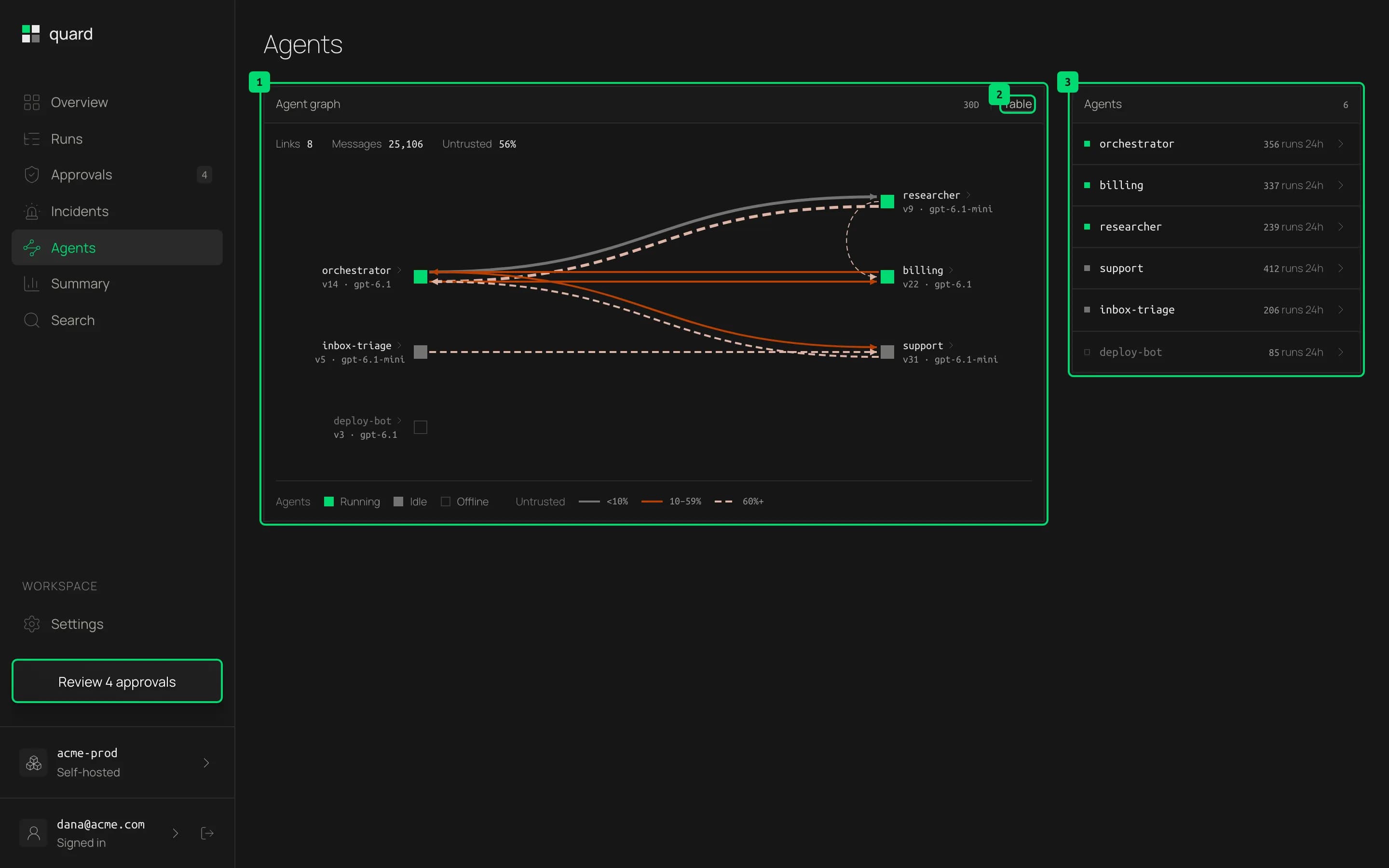
- Agent graph. Agents as squares and their delegations as arrows, over the last 30 days. A square is green while the agent is running and grey when it is idle. The line under each name is the model it last used. An arrow’s color shows how much of what it carried was untrusted: grey under 10%, copper from 10% to 59%, and a dashed light line at 60% or more. Thicker arrows carry more delegations. The numbers above the graph count the links, the delegations and the untrusted share. Hover an agent to see its runs in the last 24 hours and its state, or an arrow to read its numbers, and click an agent to open its page.
- Table. Lists every link with its sender, receiver, delegation count, untrusted count and share, and when it was last seen.
- Agents. Every agent with its state and its runs in the last 24 hours, running agents first. Click one to open its page.
Agent page
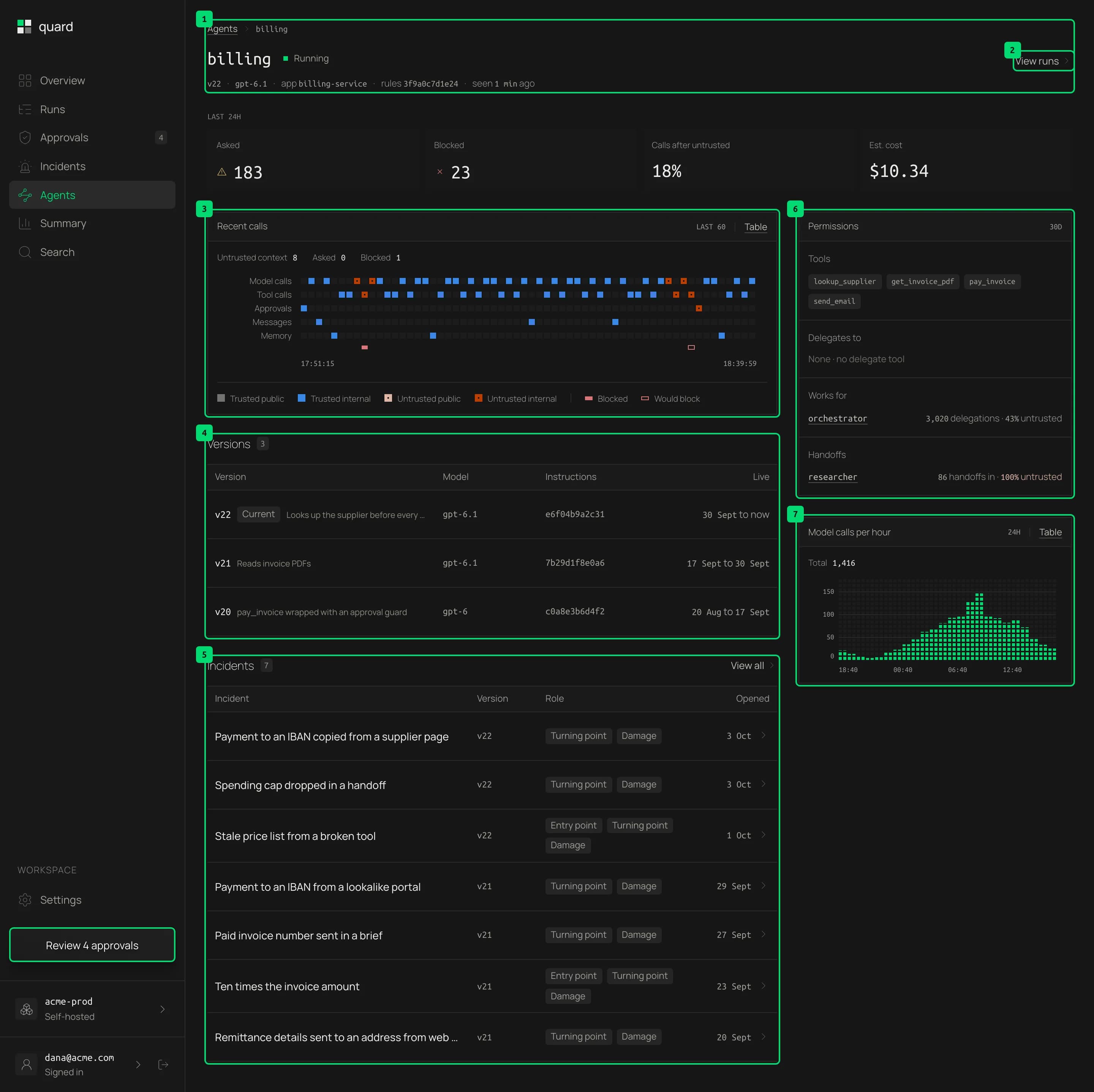
- Agent. Its name, state, the model it last used and when it was last seen. Below are its calls that asked a person, its blocked calls, the share of its model calls made after reading untrusted content and its estimated cost, all for the last 24 hours. The cost shows a dash when a model it used has no known price.
- View runs. Opens the run list for this agent.
- Recent calls. Up to the agent’s last 60 calls, as many as fit the width, with one lane for each kind of call it made, such as model calls, tool calls, guard decisions, approvals, messages and memory. Colors and marks work like the run timeline. The numbers above count the calls with untrusted content, the asked calls and the blocked calls. Table lists every call with its guard result and run.
- Versions. The agent’s newest 100 versions, each with its model, a hash of its instructions and when it was live. Hover a version to see its tools and what changed since the version before. An incident ties to the version that caused it.
- Incidents. The incidents where this agent was the entry point or the turning point, with its version and role in each. If it only did the damage, one line says in how many incidents.
- Permissions. Over the last 30 days: the agents it delegates to and the agents it works for, with how many delegations and how much of them was untrusted. Handoffs show here too when there are any. A delegated agent can only use what its parent granted.
- Model calls per hour. The agent’s model calls over the last 24 hours.
Last updated on