Getting started
The dashboard is where your team watches agents, answers approvals and looks into incidents. This page covers signing in and finding your way around.
Sign in
There are no passwords. Sign in with your GitHub account, or with a one-time code sent to your email.
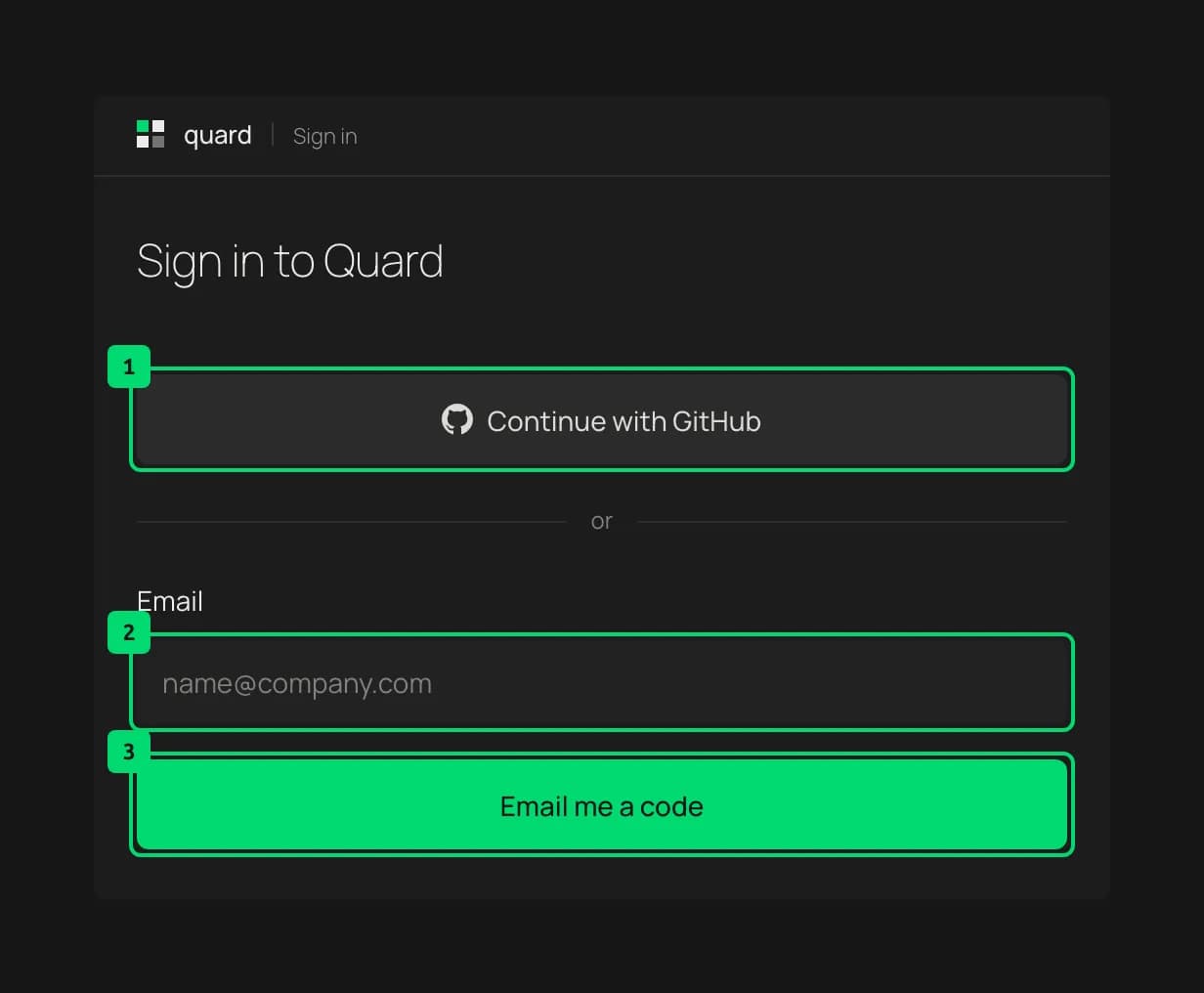
- Continue with GitHub. Signs you in with your GitHub account.
- Email. Your email address.
- Email me a code. Sends a code to that address. Enter it on the next screen to sign in. If it doesn’t arrive, choose Send a new code.
Any verified email address or GitHub account can sign in. You stay signed in for 7 days, or until you sign out.
Everyone who signs in can use every page and answer approvals. Every approval records who answered it.
Find your way around
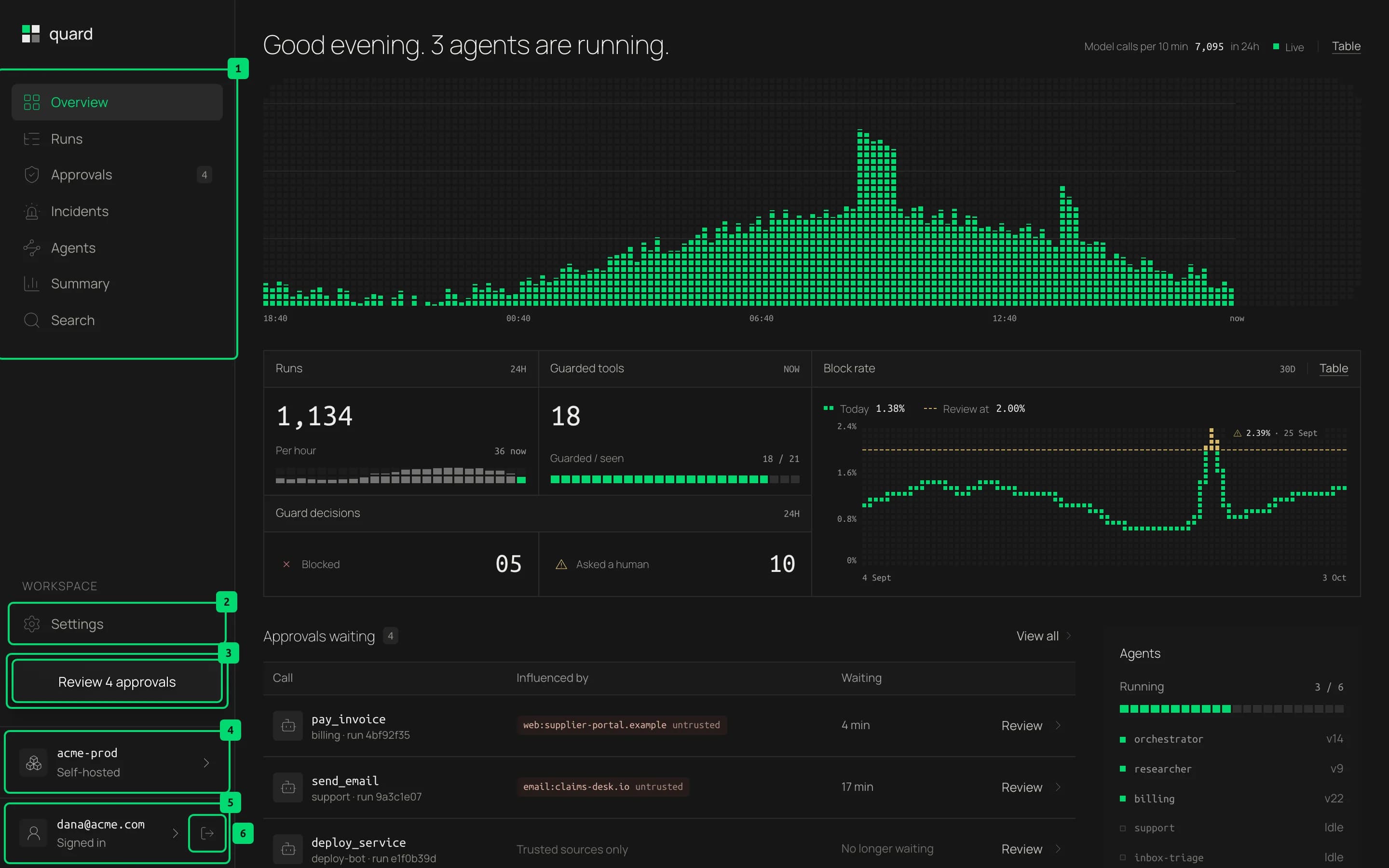
- Main pages. Overview, Runs, Approvals, Incidents, Agents, Summary and Search. The page you are on has a green label. Approvals shows a count while requests are waiting.
- Settings. Agent keys, accounts, retention, and the rules your code reports.
- Review approvals. A shortcut to the Approvals page. It says how many requests are waiting.
- Your account. Who you are signed in as, by email or GitHub name. It opens settings.
- Sign out. Signs you out of the dashboard.
On small screens, the sidebar folds into a menu button at the top of the page.
Reading the screens
A few patterns repeat on every page. For any word you don’t know, see the glossary.
- Origin chips. A small tag such as
web:supplier-portal.example untrustedsays where content came from. Untrusted origins have a warm color. Hover a chip to see its origin, trust and sensitivity. - Status squares. A small square before a word shows state: green for running, amber for waiting on a person, red for blocked or failed, and grey for done or idle.
- Clickable rows. A row that opens something ends in a chevron and lights up on hover. Click anywhere on it.
- Charts. Every chart has a Table button that shows the same numbers as a table. Hover a chart, or move through it with the arrow keys, to read exact values.
- The drawer. Details open in a panel on the right. Press Escape or the close button to go back.
- Hints. When a button does more than its label says, hover or focus it to see a short hint.
- Masked values. IBANs, card numbers and emails are shown masked, such as
DE89…3000. An open approval request shows the full values, so you see exactly what will run. They are cleared once someone answers it. - Links you can share. Filters, searches and open steps are part of the page address. Copy the link to share exactly what you see.
- Empty pages. Every page shows real data from your agents. Before the first run, its charts and tables stay in place, drawn empty with a short note such as “No runs yet”.
Last updated on