Search
Search finds the runs that read or sent a value: a domain, a bank account, an email address, a file path, an id, an agent or a tool. Use it to answer questions like “which runs touched this domain?” or “where else did this IBAN show up?”
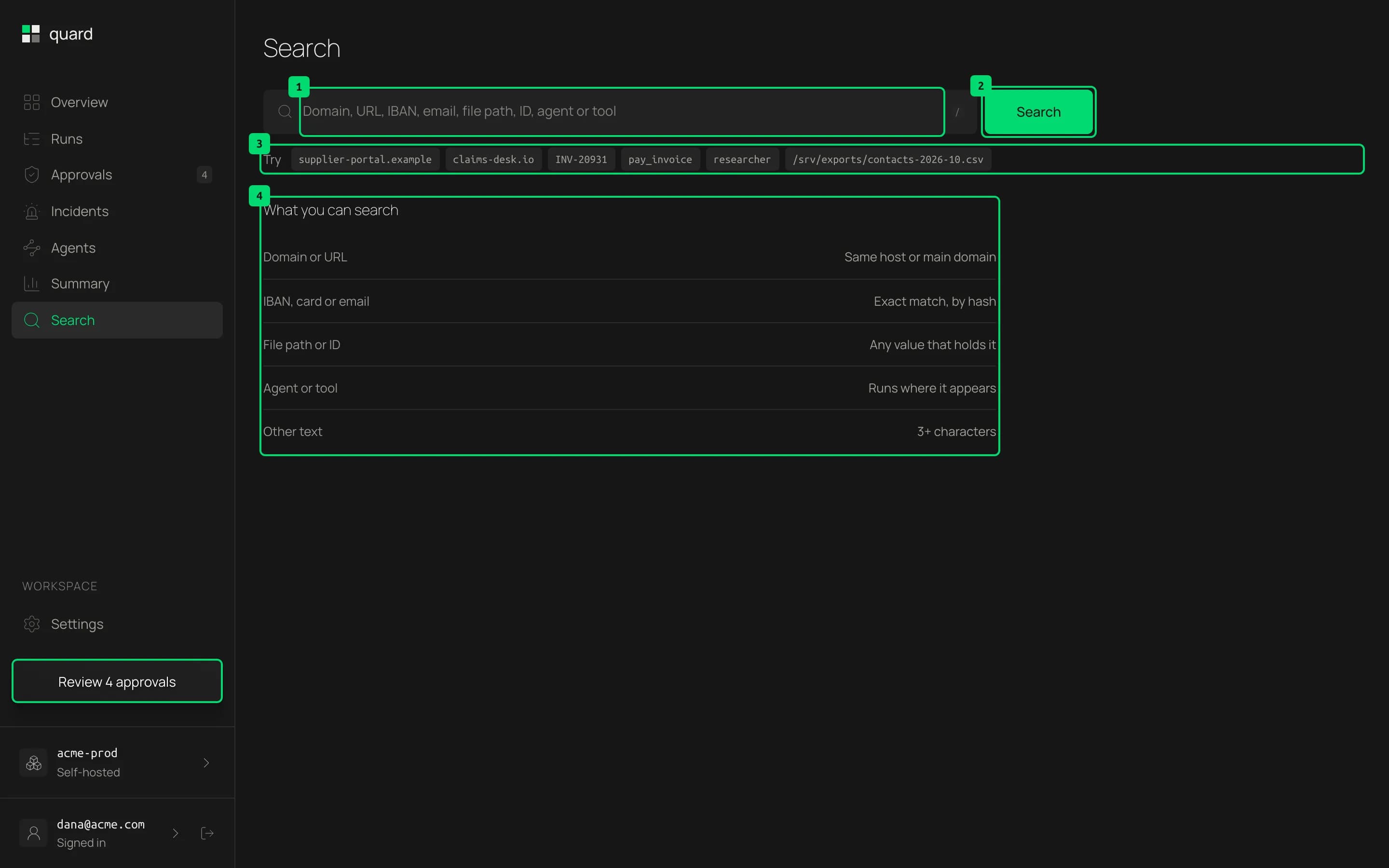
- Search field. Type or paste a value. Press
/to jump here and Escape to clear it. - Search. Runs the search.
| You search for | It matches |
|---|---|
| A domain or URL | The same host or the same main domain |
| An IBAN or email | The exact value, by its hash |
| A file path or id | The same value |
| An agent or tool | The runs where it appears |
Card numbers can’t be searched. To search IBANs and emails, the dashboard needs the same QUARD_HASH_KEY as webhook and control.
Read the results
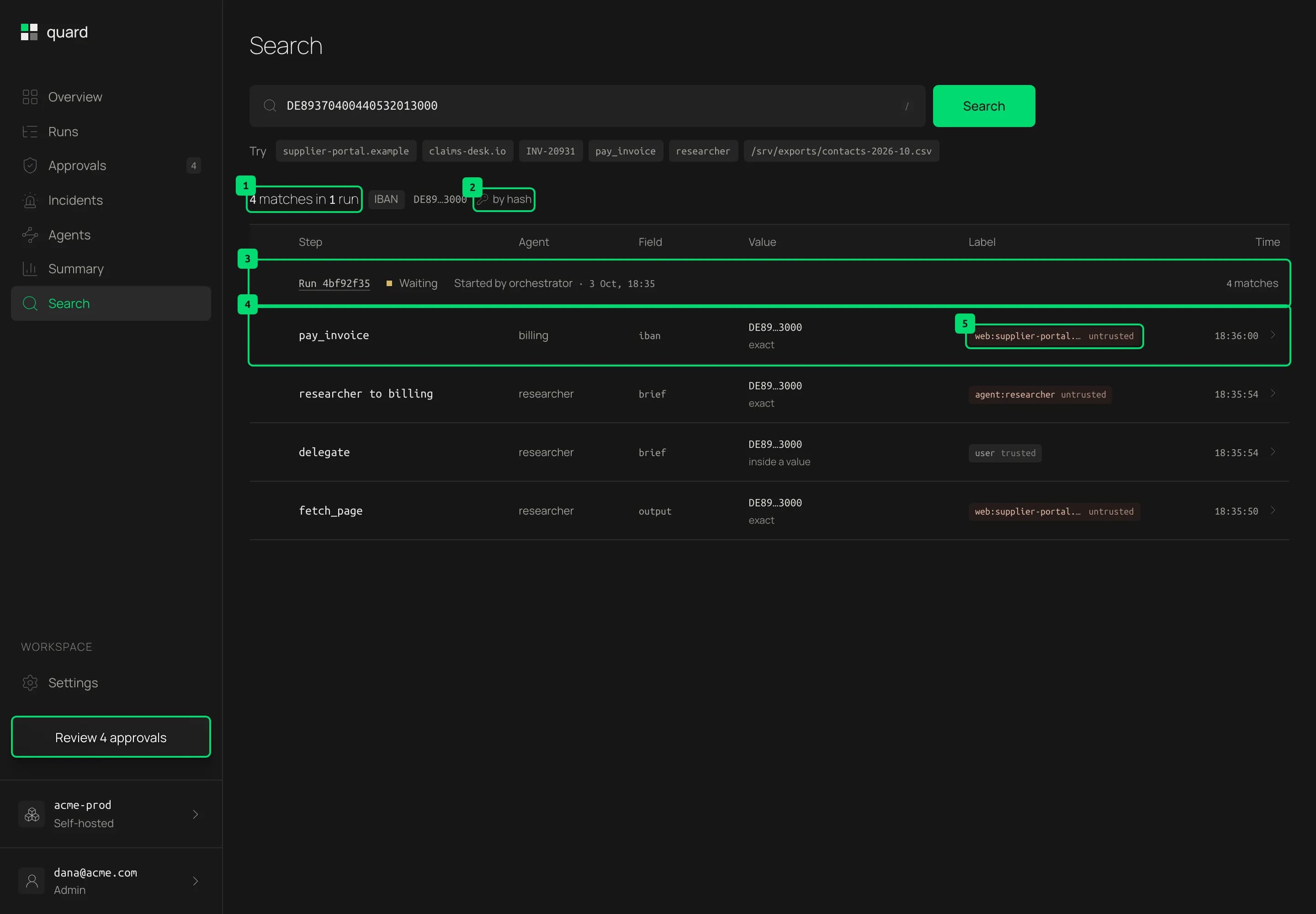
- Summary. How many steps matched, in how many runs, the kind of value and its masked form.
- By hash. Sensitive values are stored as keyed hashes, never in clear. Quard hashes what you typed with your project’s key and matches on that.
- A run. Matches are grouped by run, with its status, the agent that started it and when. Click the run id to open the run.
- A match. The step, the agent, the field and the value, with how it matched: exact, same host, same domain, or inside a value when it was part of a longer one. Click the row to open that step.
- Origin. Where the matched content came from, when Quard saw it before the step.
When there are many matches, Search shows the newest 50. The search is part of the page address, so you can share it as a link.
Last updated on